招募EA测评师
专属QQ交流群.线上线下交流会分享
免费技术分享
专属交流会,分享ea指标参数等
免费合作入驻
合作入驻均无前后期费用
Perceptrader AI MT5 产品介绍
一、产品核心优势
Perceptrader AI MT5 是一款新一代智能外汇网格交易EA,区别于传统机械式网格交易机器人,它融合前沿人工智能技术与成熟的网格交易逻辑,精准优化交易入场决策,有效降低极端市场下的交易风险。
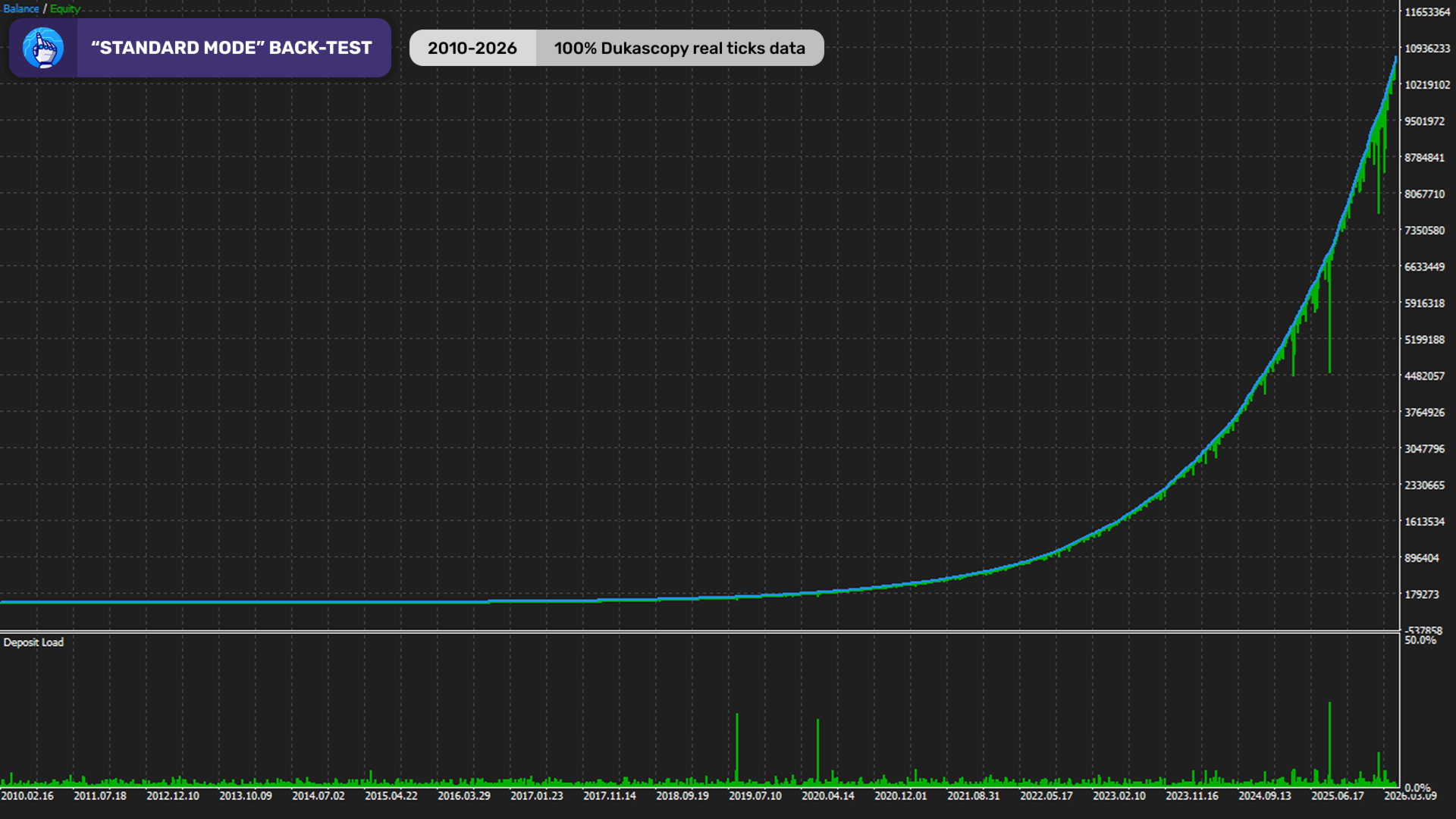
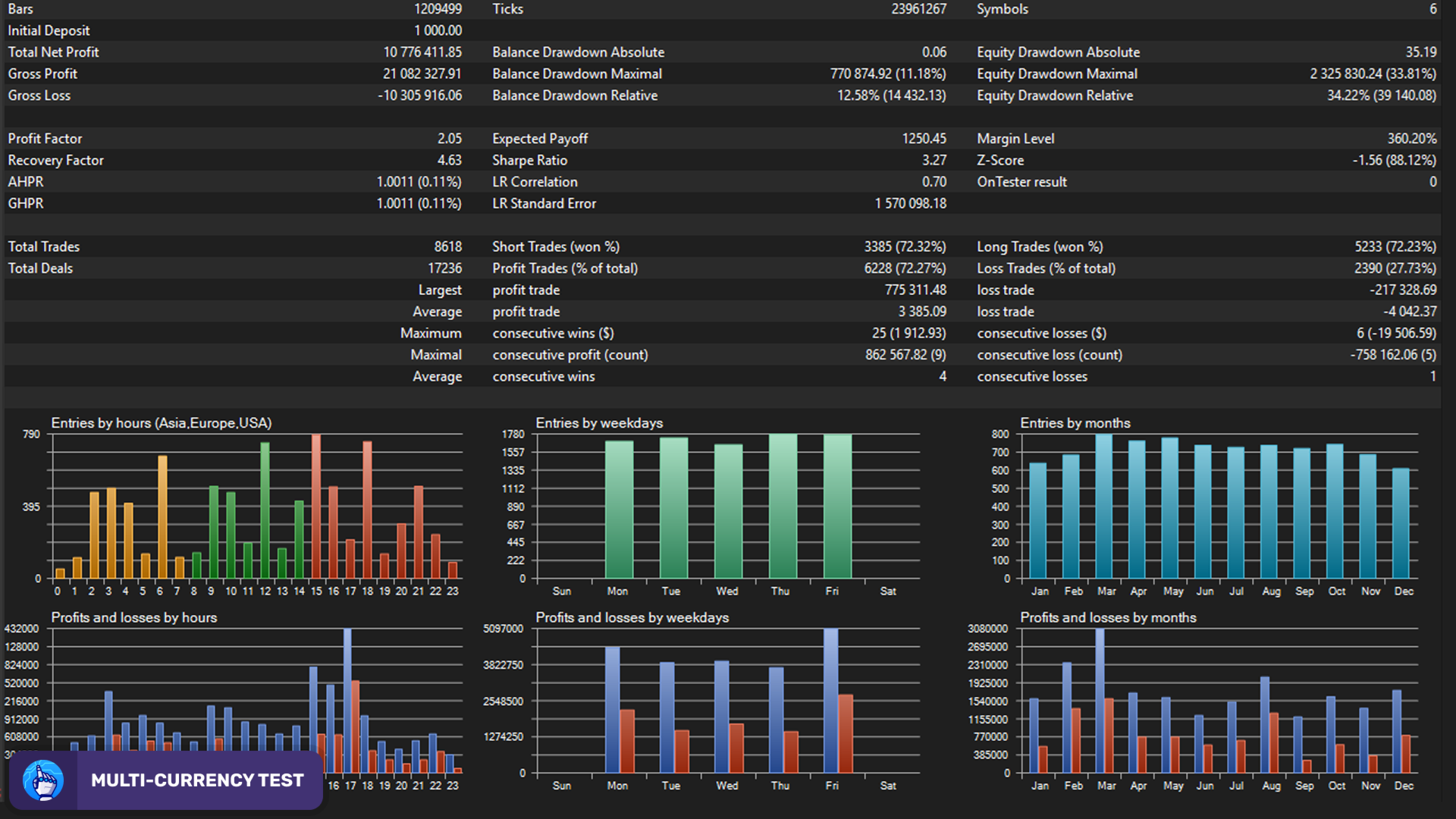
传统网格EA会持续盲目开仓,而本产品依托机器学习模型,在每笔交易入场前完成市场概率测算,精准剔除低质量交易订单。产品长期交易表现稳定,回撤率低、盈利持续性强,兼顾资本保值与盈利增值双重需求,适配各类稳健型交易投资者。
二、AI智能交易核心技术
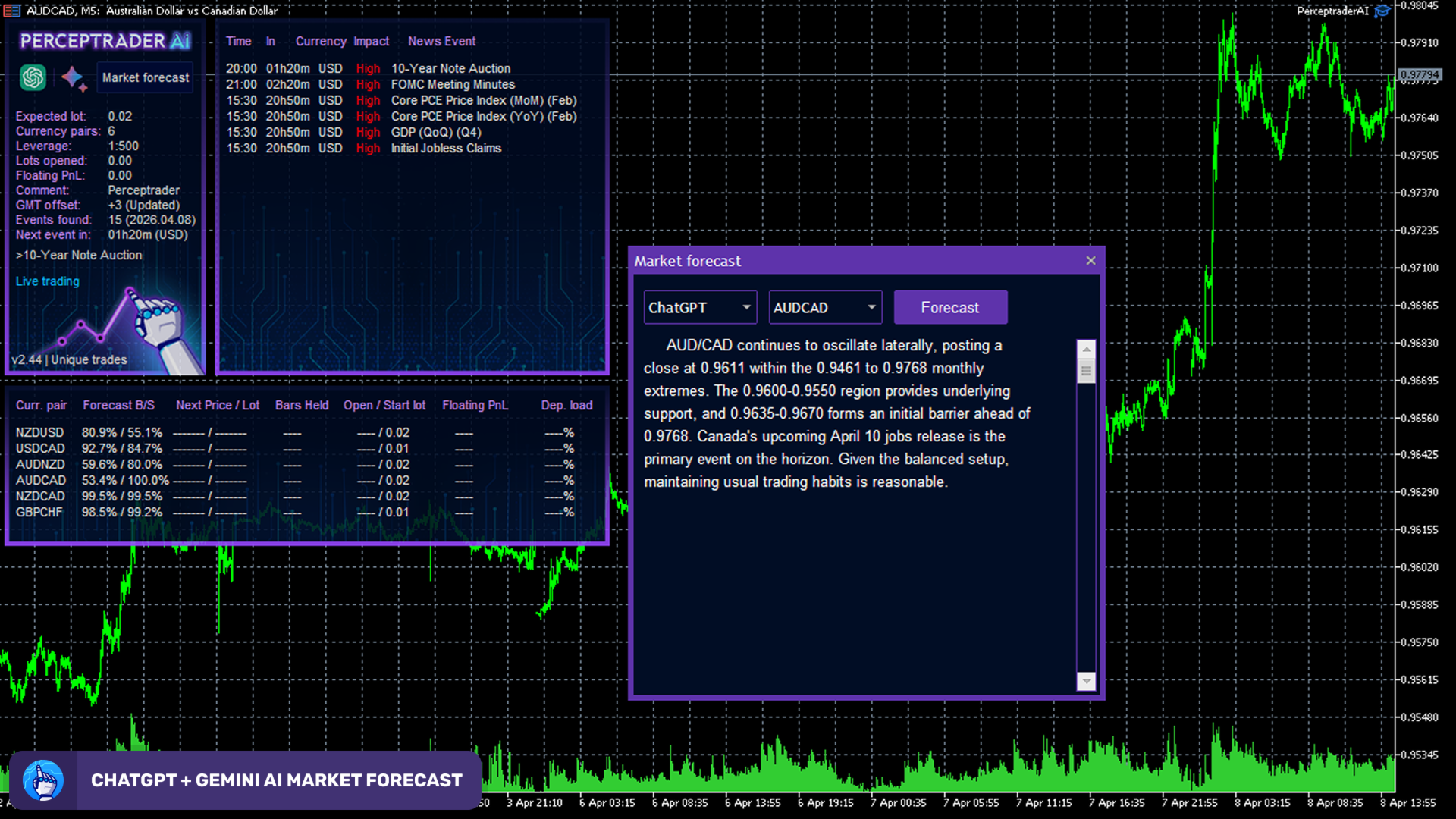
产品搭载自研智能市场分析引擎,依托多重AI技术协同运作,精准甄别优质交易机会,规避弱势市场行情,大幅提升交易入场质量,核心技术包含:
三、进阶自适应网格交易系统
配备升级款动态网格交易策略,可实时适配市场行情波动,灵活平衡盈利收益与交易风险,核心网格功能如下:
四、全方位智能风险管理体系
风险管理是本产品的核心亮点,内置多重风控机制,可在市场剧烈波动时全方位保护交易账户资金安全,具体风控功能:
五、智能新闻与极端市场防护
搭载多重高端行情过滤系统,主动规避重大市场事件带来的交易风险,杜绝无效、高危交易,核心防护能力:
六、多货币对同步交易
支持多款主流货币对同步自动化交易,无需多图表部署,仅通过单张MT5图表即可统一管理全部交易标的,大幅简化投资组合管理流程,适配交易货币对包括:AUDCAD、USDCAD、NZD、CADCHF、NZDCHF、GBPCHF。
七、专业高阶交易功能
适配专业交易者交易需求,集成多项机构级交易工具,兼顾操作便捷性与交易灵活性:
八、简易安装部署流程
产品部署流程简单便捷,无需复杂操作,安装后可自动管控全部支持的货币对,无需额外配置图表,具体步骤:
九、最优交易运行条件
为保障EA高效运行、最大化盈利空间,建议采用以下交易配置:
十、适用人群
Perceptrader AI MT5 适配各类有稳定交易需求的用户,精准匹配以下人群:
无论你是资深算法交易者,还是寻求稳健自动化交易方案的普通投资者,这款EA均可通过AI智能算法、自适应网格策略与严谨的风控体系,实现长期稳定的交易表现。
十一、产品总结
Perceptrader AI MT5 是新一代AI驱动的自动化外汇交易解决方案,深度整合深度学习、神经网络、智能网格交易与全维度风控技术。凭借精准的AI交易过滤、进阶的资金风控体系、全面的极端行情防护、多货币对交易能力及专业的交易工具,完美实现交易盈利与资金安全的双向平衡。
若你正在寻找一款可适配多变市场行情、风控严谨、表现稳定的AI智能MT5交易顾问,Perceptrader AI MT5将是绝佳选择。